
Subnet Calculator
The Subnet Calculator gives you the full breakdown of an IPv4 subnet from an address and a prefix length. It’s handy when you’re planning an addressing scheme, checking a customer’s config, or writing an ACL that needs a wildcard mask.
ArkhiNet’s tools open as tabs (or panes) in the main window, next to your terminal sessions, so you can keep one open beside an SSH session.
Open the Subnet Calculator
Section titled “Open the Subnet Calculator”- Click + in the tab strip, or press Ctrl+T, to open the new-tab screen.
- Under TOOLS, click Subnet Calculator.
The tool opens in its own tab, labeled Subnet. To put it beside a terminal instead, split the terminal’s pane: the new, empty pane shows the same screen, and you can pick Subnet Calculator from its TOOLS section.
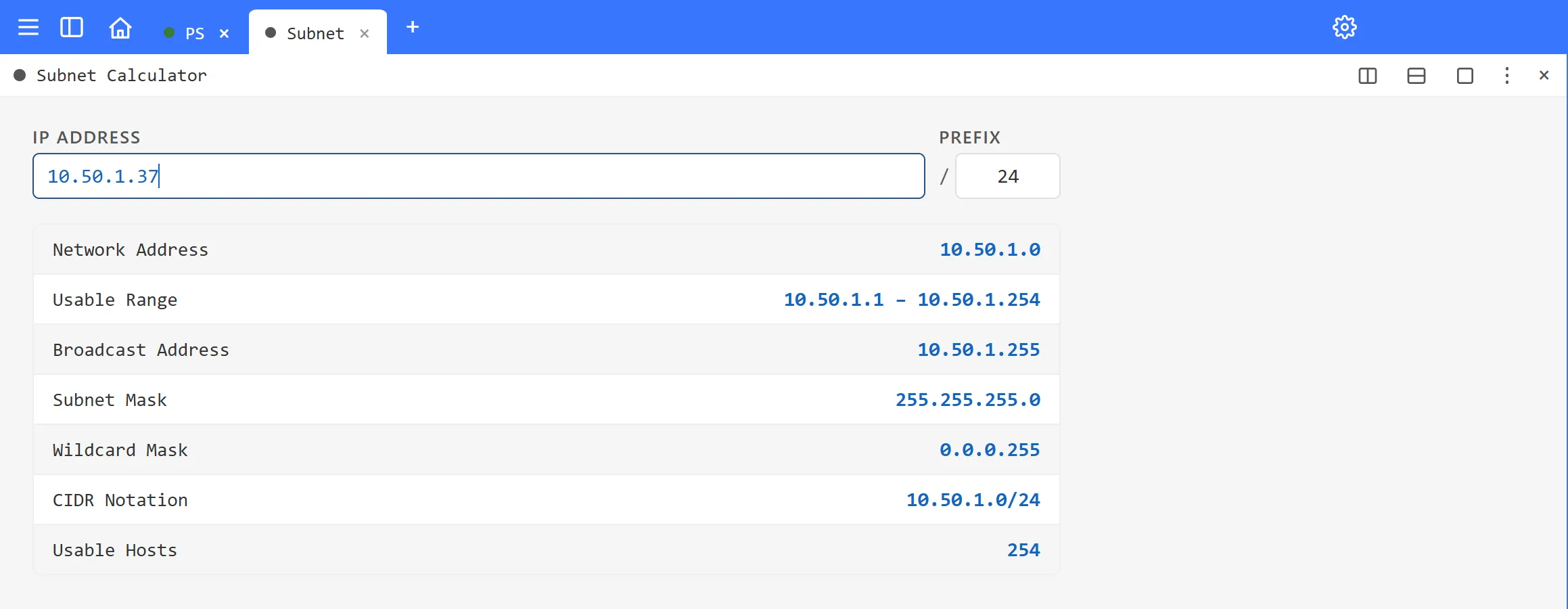
Calculate a subnet
Section titled “Calculate a subnet”- In IP ADDRESS, type any IPv4 address in the subnet, for example
10.50.1.37. It doesn’t need to be the network address. - In PREFIX, type the prefix length without the slash, for example
24.
The results update as you type. There’s no button to press.
| Field | What it shows |
|---|---|
| Network Address | The first address of the subnet. |
| Usable Range | The first and last host addresses. |
| Broadcast Address | The last address of the subnet. |
| Subnet Mask | The mask in dotted-decimal form, for example 255.255.255.0. |
| Wildcard Mask | The inverse mask, for ACLs and OSPF network statements, for example 0.0.0.255. |
| CIDR Notation | The network in CIDR form, for example 10.50.1.0/24. |
| Usable Hosts | The number of host addresses, excluding the network and broadcast addresses. |
If the address isn’t a valid IPv4 address, or the prefix is outside 0 to 32, the tool shows an error until you fix it.
Keep your tools together
Section titled “Keep your tools together”If you use the same tools every day, arrange them in one tab, for example the Subnet Calculator beside Port / Net Scan and IP / DNS / MAC Lookup, then right-click the tab and choose Save tab…. The tab appears under SAVED TABS on the new-tab screen, and one click brings back the same tools in the same layout.
Related tools
Section titled “Related tools”- Port / Net Scan to find what’s live in the subnet you just worked out.
- IP / DNS / MAC Lookup for your own addresses, DNS records and MAC vendors.